
For PowerPoint (Mirror Front and Rear Projector)
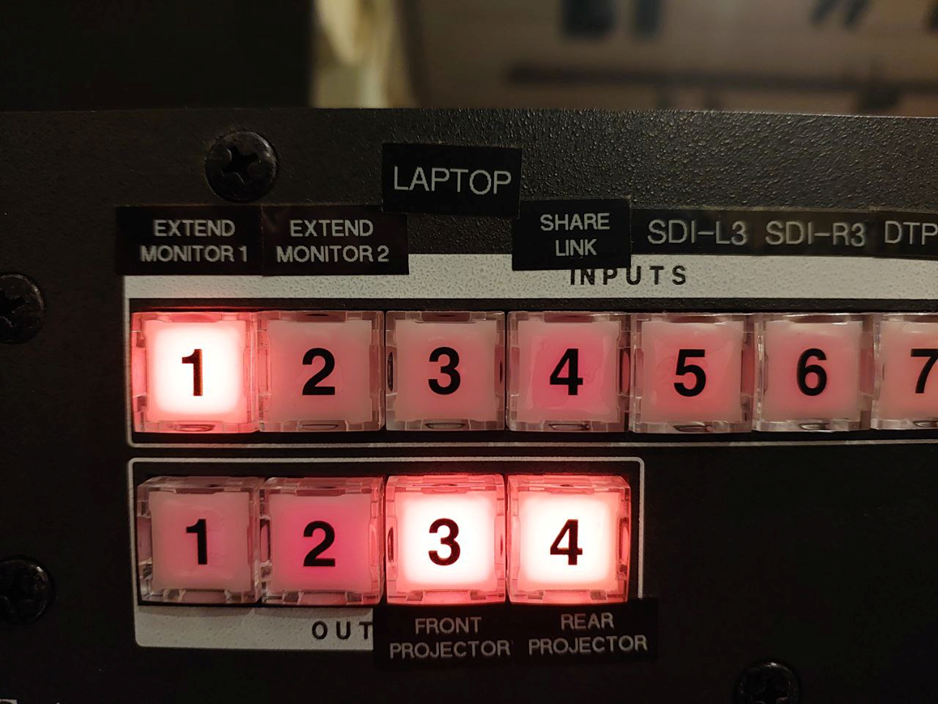
Press 1. To mirror, 3 and 4 should be lit up. If 3 and 4 are already lit up, the screens are already set to mirror.
If 3 is NOT lit up, press 3. The 3 button will start blinking. Press ENTER to confirm the settings.
If 4 is NOT lit up, press 4. The 4 button will start blinking. Press ENTER to confirm the settings.
If NEITHER are lit up, press 3 and 4. Both the 3 and 4 buttons will start blinking. Press ENTER to confirm the settings.