
Turning off the Hall 2 Front and Back Projector, and Projectionist PC
Close all the programs and shut down the projectionist PC.
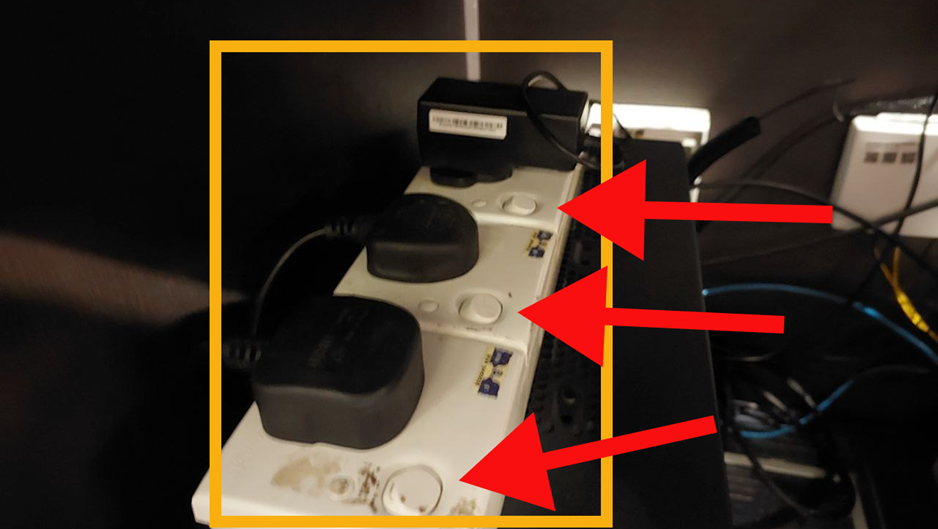
After the PC has turned off, turn OFF ALL these switches.
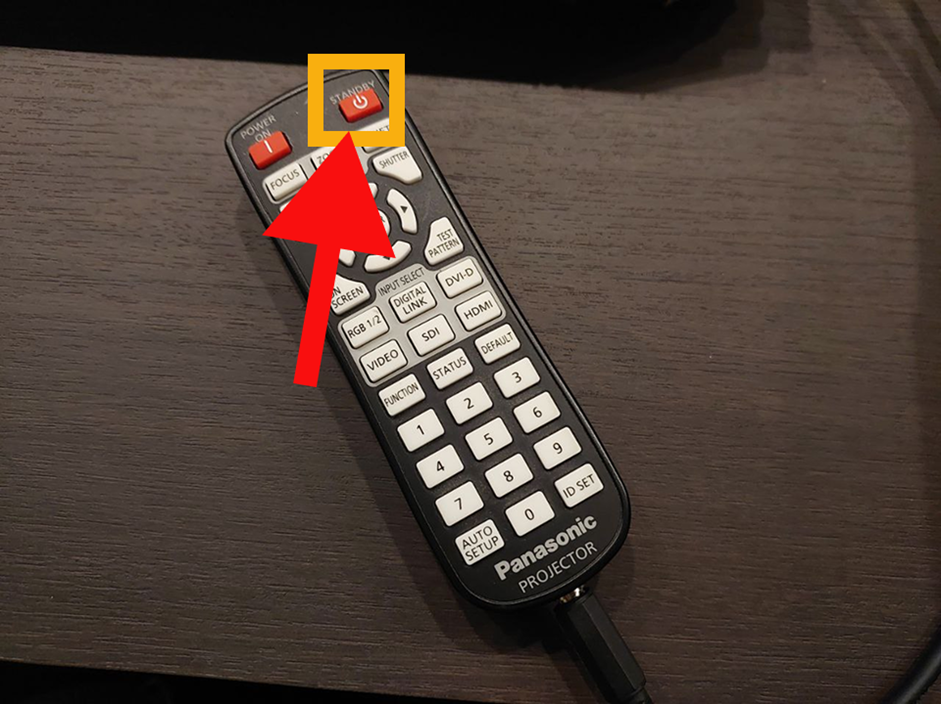
Press the STANDBY button on this remote to turn OFF the front projector.
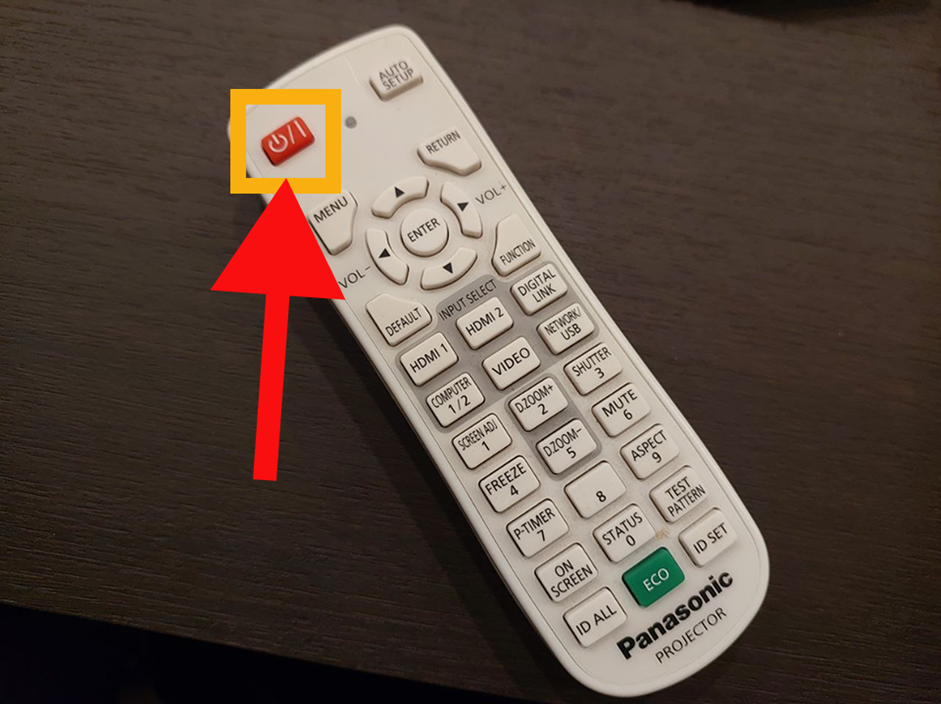
Press the POWER button on this remote to turn off the rear projector.
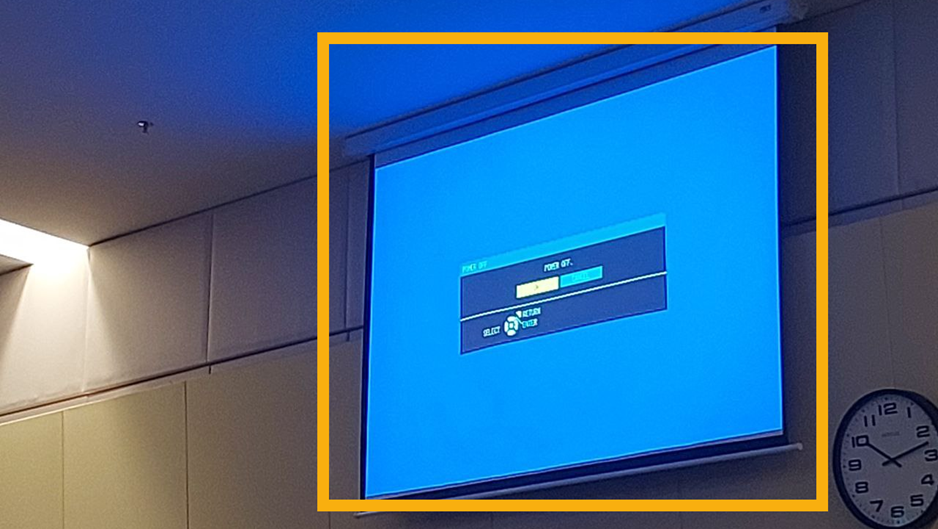
Press the power button again, or use the arrow keys to select OK on this screen.
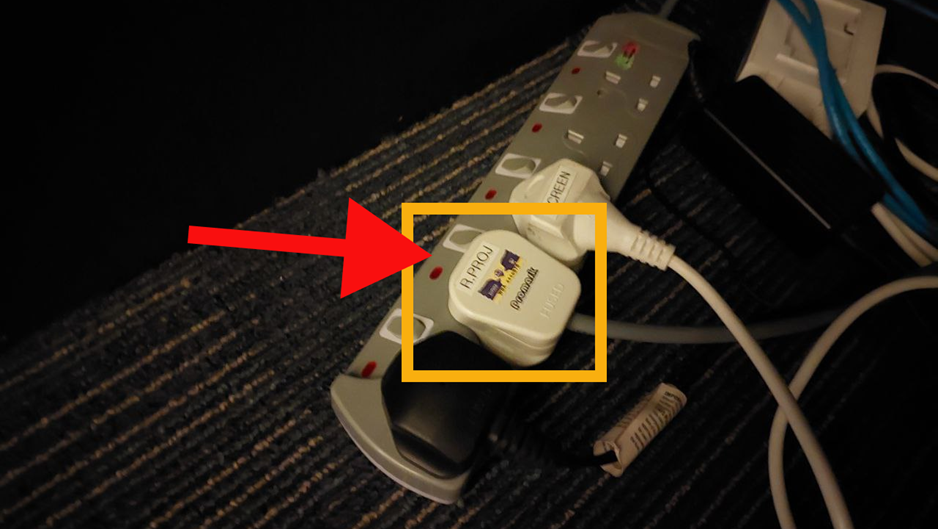
Turn OFF THIS switch to power DOWN the rear projector.
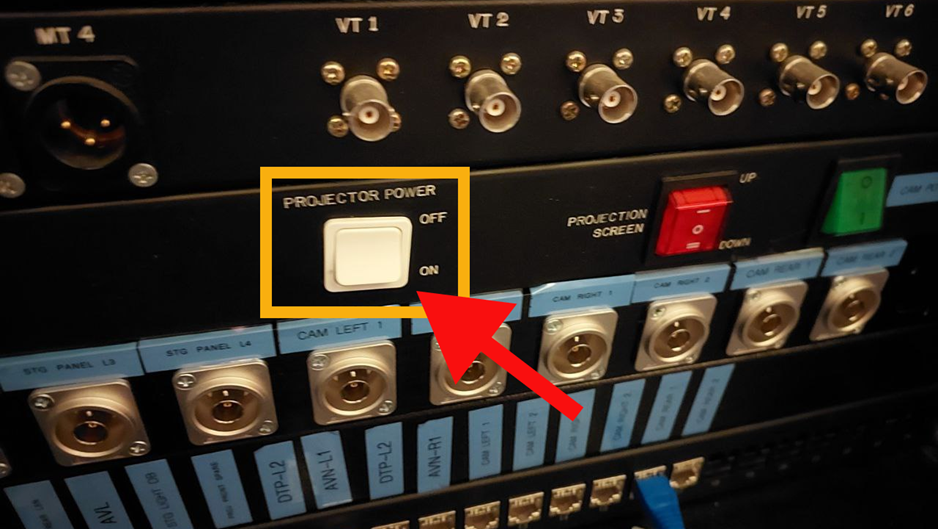
Turn OFF this switch to power DOWN the front projector.
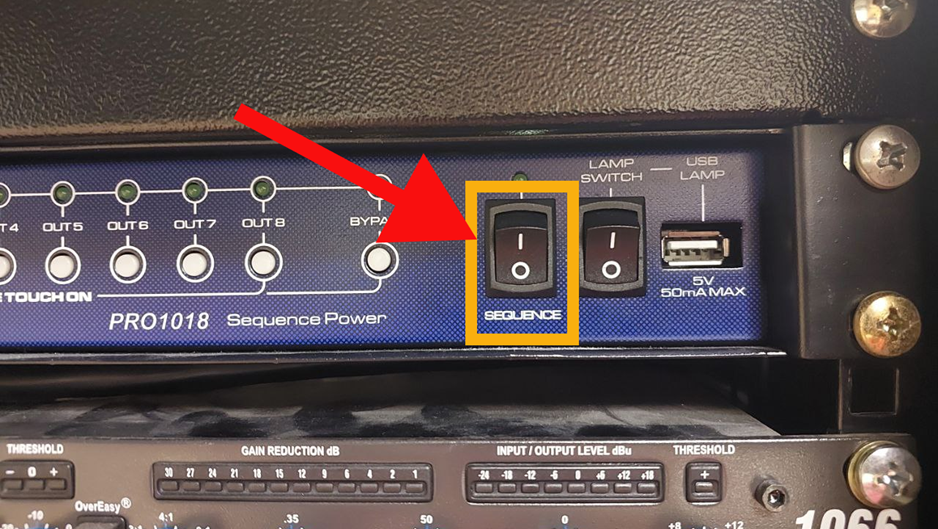
In the rack room, turn OFF the sequencer.