Skip to main content
MetroTab Public Docs
View All
Search
Shelves
Books
Log in
Info
Content
Books
Hall 2 Projector
Screen Settings
ProPresenter Screen Co...
ProPresenter Screen Configuration
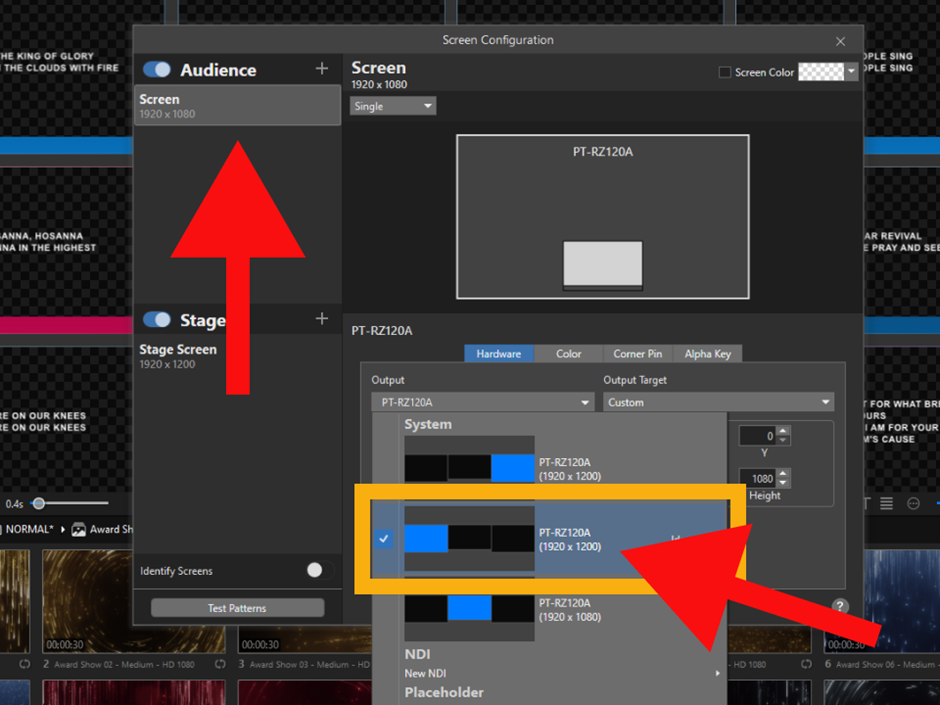
For the
SCREEN
, select the
LEFT
screen.
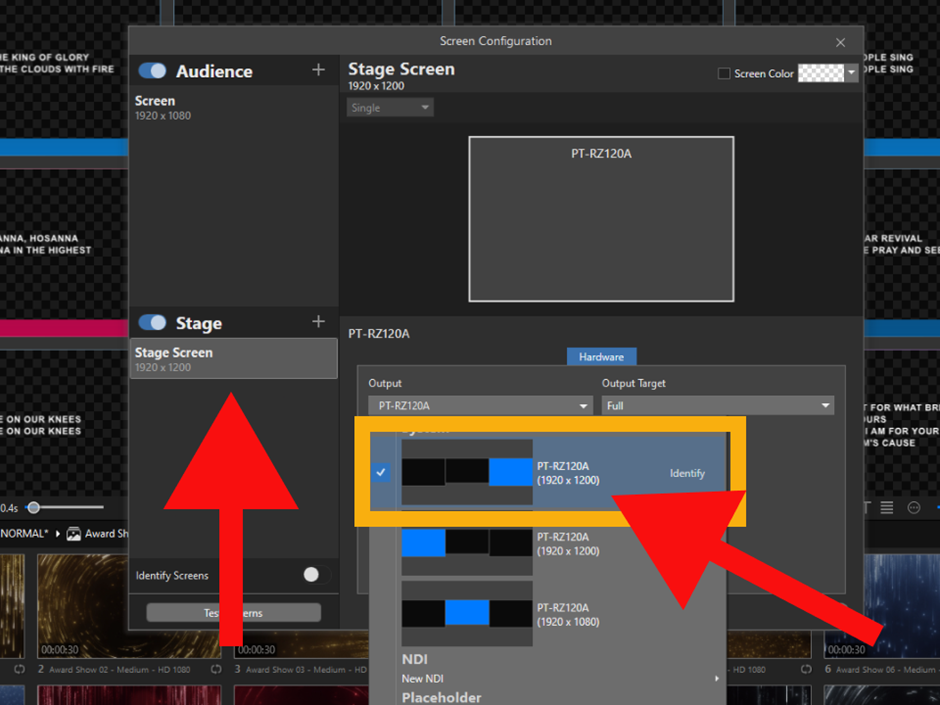
For the
STAGE
screen, select the
RIGHT
screen.
Enter section select mode
Previous
For PowerPoint (Mirror Presenter View to Rear...
Back to top